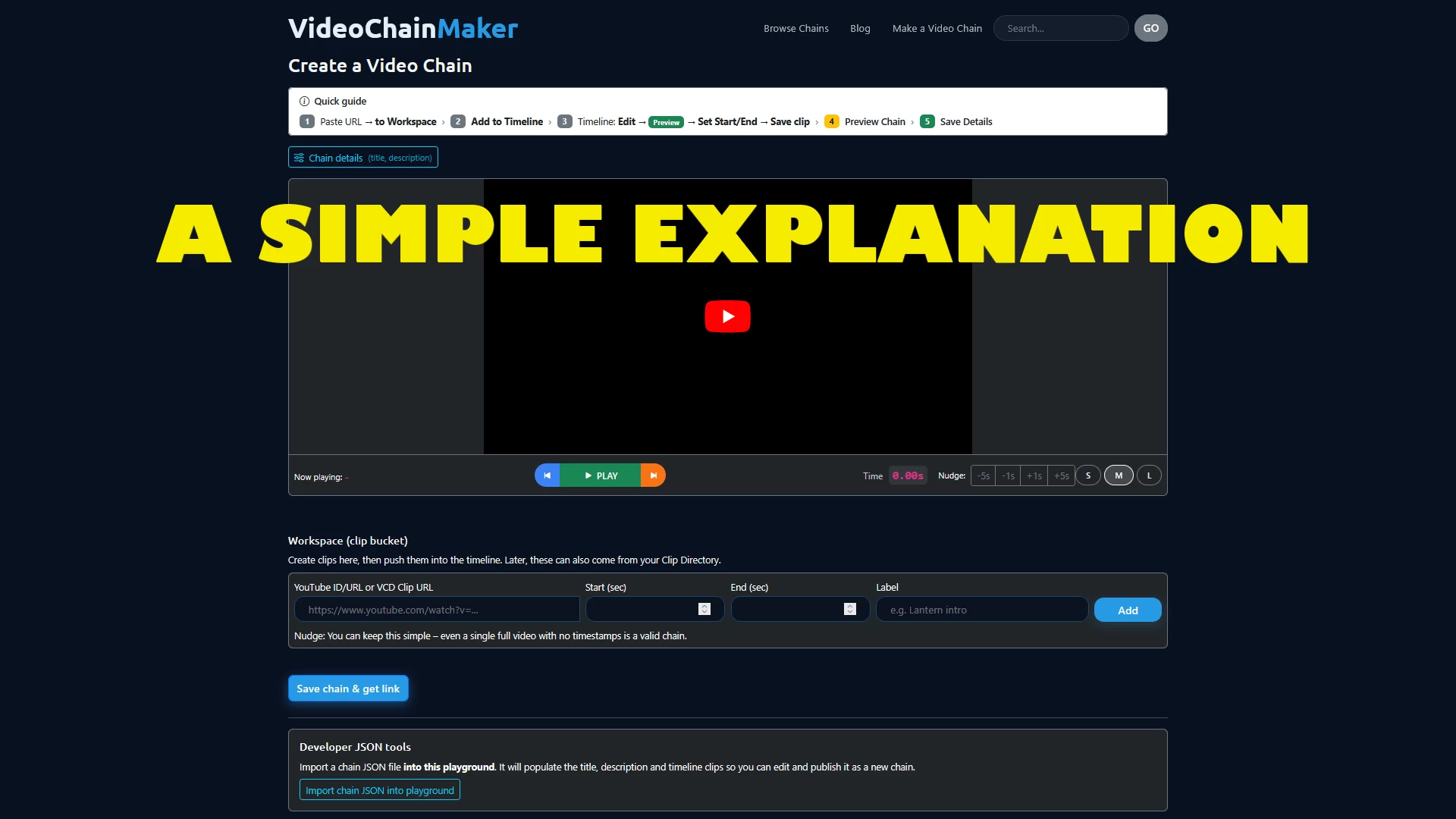
VideoChainMaker (VCM): A Simple Explanation
A brief but very clear overview of the VideoChainMaker features and functionality
VideoChainMaker is where a VideoChain is assembled.
It doesn’t record video.
It doesn’t edit video files.
It lets you organize clips into a meaningful sequence.
1. Import or Add a URL
Everything in VideoChainMaker starts with clips.
You can bring clips into your workspace in two simple ways:
Import clips
- clips you’ve already saved
- clips from VideoClipDirectory
- prepared data (JSON, CSV, etc.)
Add a URL
- paste a YouTube URL directly
- set the start and end points
- instantly turn it into a clip
Both methods mean the same thing:
“Bring clips into this workspace so I can work with them.”
Nothing is changed or edited in the original video.
You’re only selecting the moments you want to use.
2. The Workspace
The workspace is your thinking space.
This is where you:
- see all imported clips
- decide which ones belong together
- focus on structure, not production
Nothing is final here — it’s safe to experiment.
3. The Timeline
The timeline shows:
- the order clips will play
- the flow of the story or explanation
Each clip represents:
“One idea, moment, or example.”
The timeline is the backbone of the VideoChain.
4. Timeline Clips
Each timeline clip has:
- a video source
- a start time
- an end time
This defines what part of the video actually matters.
You’re not trimming files — you’re selecting moments.
5. Preview and Fine-Tuning
You can preview each clip directly in the timeline.
Fine-tuning allows you to:
- adjust start and end times
- refine timing down to milliseconds
- remove silence, filler, or hesitation
Small timing changes make a big difference.
6. Reordering Clips (Very Important)
Clips can be reordered at any time.
This is easy to overlook — but it’s one of the most powerful features.
Reordering lets you:
- test different narrative flows
- move context earlier or later
- experiment without losing anything
The same clips can tell different stories depending on order.
7. Nothing Is Permanent Until You Save
VCM is designed for exploration.
You can:
- try ideas
- reorder freely
- fine-tune timing
- preview constantly
Only when you save do you commit to a version of the chain.
Final Thought
VideoChainMaker isn’t about editing video.
It’s about:
- choosing moments
- arranging ideas
- shaping understanding
Once you understand that, everything else becomes intuitive.